AI Picture Twerk Generator
Got a picture you want to turn into a twerk video? Upload it and let our AI handle the rest. Here is everything you need to know about getting the best results.
Generate Your Twerk Video NowSee It In Action
Input Photo
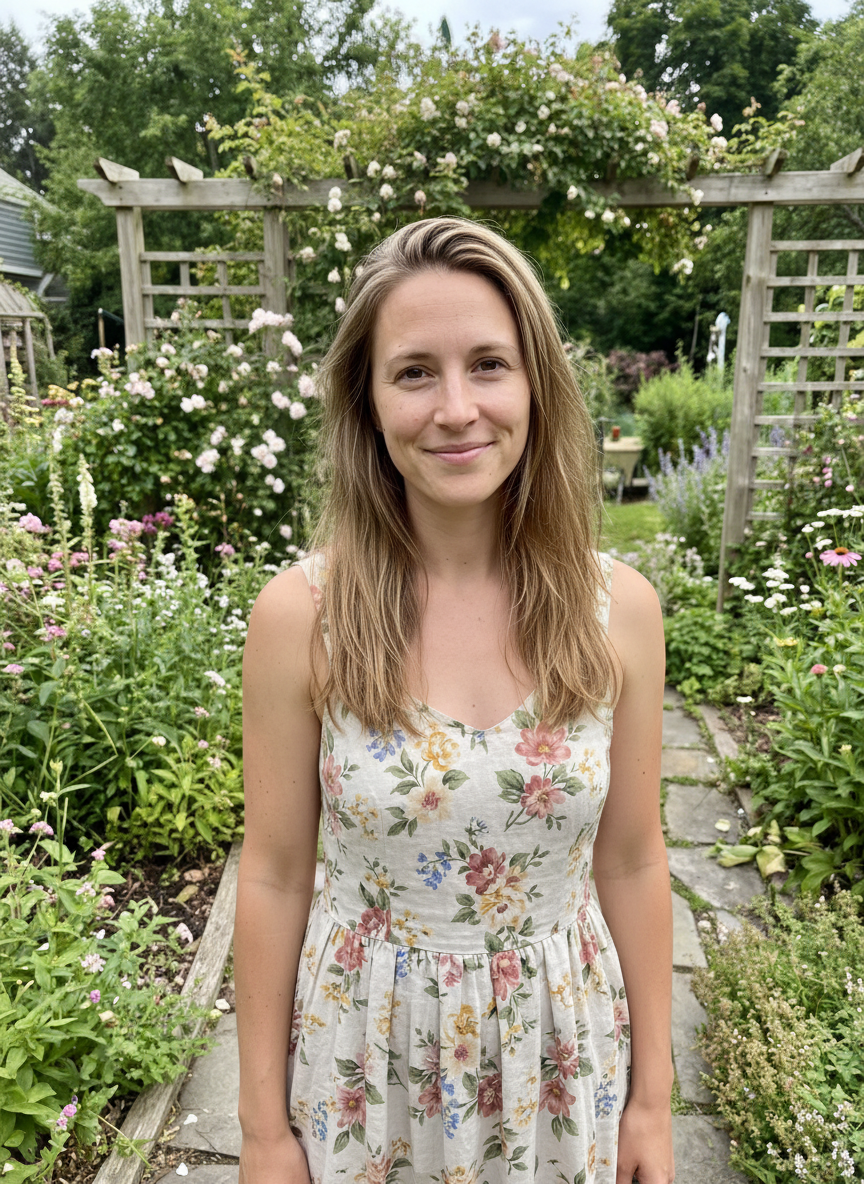
AI Twerk Output
Turning Pictures Into Twerk Videos
An AI picture twerk generator takes an ordinary picture and transforms it into a twerk video. The concept is simple, but the technology behind it is remarkably sophisticated. The AI examines your picture, identifies the person in it, maps their body structure, and then generates a complete twerk animation while preserving everything that makes the picture recognizable.
This means the person in the output video looks exactly like the person in the input picture. Same face, same clothing, same body proportions, same skin tone. The only difference is that they are now moving, performing a twerk routine that matches whichever style you selected.
The appeal of picture-to-twerk generation is obvious for content creators and social media users. Instead of needing to record actual video footage, you can create engaging dance content from any picture in your camera roll. That vacation photo, that party outfit picture, that professional headshot, any picture with a clearly visible person can become a twerk video.
The entire process is automated and takes only minutes. There is no editing software to learn, no timeline to manage, and no rendering queue to sit through. Upload your picture, pick a style, and the AI delivers a finished video to your dashboard.
What Kinds of Pictures Work Best?
Not all pictures produce equally good twerk videos. The AI performs best with certain types of images, and understanding what works will save you time and credits.
Candid standing photos are ideal. Someone standing naturally, perhaps at a party, on the street, or in a park, gives the AI a perfect starting point. The body is visible, the pose is natural, and the AI can easily transition from the standing position into twerk movement.
Fashion or outfit photos work extremely well. These tend to be full-body shots with good lighting, clean backgrounds, and the subject facing the camera, which are all the characteristics the AI loves. If you have photos from showing off an outfit, those are likely some of the best candidates in your camera roll.
Mirror selfies can work if they show the full body. The AI can handle the reversed orientation and the mirror frame in the background. Just make sure the full figure is visible and the lighting is decent.
Professional photos and portraits produce excellent results when they show enough of the body. Professional lighting and image quality give the AI plenty of detail to work with, resulting in very smooth and clean animations.
Social media profile pictures may work if they are full body shots. Cropped headshots or bust-level photos will not produce good twerk results because the AI cannot see the lower body.
AI-generated images of people also work. If you have created an image using Midjourney, DALL-E, or any other image generator, you can use it as input for twerk video generation. The AI treats it the same as a real photo.
Full Body vs. Close-Up: What Makes a Difference
The most important factor in picture selection is how much of the body is visible. This single variable has more impact on output quality than resolution, lighting, or any other characteristic.
Full body pictures, showing the person from head to toe, produce the best twerk videos by a significant margin. The AI can see the complete figure and has full information about body proportions, clothing, and stance. This allows it to generate the most natural and convincing twerk animation. All of the hip movement, leg bending, and weight shifting that defines twerking is clearly visible and well-animated.
Three-quarter body pictures, showing from head to around knee level, can still produce decent results. The AI has enough body information to generate hip and torso movement, but the lower legs and feet are estimated rather than directly referenced. The twerk animation may be slightly less detailed in the lower body area.
Waist-up pictures are problematic for twerk generation. Twerking is fundamentally a lower body movement, and when the AI cannot see the hips, buttocks, and legs clearly, it has to make significant guesses about how to animate the twerk. The results are usually unsatisfying because the core of the twerk movement is happening below the crop line.
Close-up face pictures or headshots are not suitable for twerk video generation. The AI simply does not have enough body information to work with. If you only have a headshot of someone, you will need to find or take a fuller body picture for twerk generation.
The takeaway is simple. The more body you show in the picture, the better the twerk video will look. Always opt for the fullest body shot available when choosing a picture to upload.
Lighting Tips for Better Twerk Videos
Lighting in your source picture directly affects how good the AI twerk video looks. Good lighting helps the AI detect body structure accurately, preserve skin tones faithfully, and generate clean animations without artifacts.
Natural daylight is the best lighting for twerk video generation. Photos taken outdoors during the day, or indoors near large windows, provide even, diffused light that clearly defines the body's shape and details. The AI can easily identify edges, textures, and proportions when the lighting is natural and consistent.
Indoor lighting with multiple light sources also works well. If the room is evenly lit from overhead lights, lamps, or a combination of sources, the picture will have enough detail for good results. Avoid relying on a single harsh light source that creates deep shadows on one side of the body.
Flash photography can be hit or miss. Direct flash creates harsh, flat lighting that can wash out skin details and create sharp shadows. If you must use flash, try to diffuse it or bounce it off a wall or ceiling for softer results. Ring lights produce very good results for twerk video input because they provide even, front-facing illumination.
Backlighting is the most problematic lighting scenario. When the light source is behind the subject, the front of the body appears dark or silhouetted. The AI struggles to detect body details in underexposed areas, which can lead to artifacts, distortion, or less natural movement in the final video.
Colored lighting, like neon lights at a club or colored LED strips, can produce interesting twerk videos but may affect skin tone accuracy. The AI preserves whatever colors it sees, so if your skin appears purple under club lighting, the video will also show purple-tinted skin. If you want natural skin tones in the output, use a picture taken under white or natural light.
Low light pictures taken in dark environments are the most challenging for the AI. If you can barely make out details in the picture, the AI will have similar trouble. Grainy, noisy, dark pictures produce the lowest quality twerk videos. When possible, choose a well-lit picture over a dark one, even if the dark picture is otherwise a better composition.
How Backgrounds Affect Your Results
The background in your picture plays a more important role than most people realize. The AI needs to separate the person from the background to animate them independently, and certain backgrounds make this process easier or harder.
Solid color backgrounds produce the cleanest results. A white wall, a colored backdrop, or any uniform surface makes it very easy for the AI to distinguish the subject from the environment. If you are taking a picture specifically for twerk video generation, standing in front of a plain wall is a simple way to maximize quality.
Simple outdoor backgrounds work well too. A park, a beach, a street, or any outdoor scene with natural elements provides enough contrast for the AI to separate the subject effectively. The AI handles these backgrounds cleanly and can fill in areas that become visible as the body moves.
Cluttered indoor backgrounds can cause issues. If there are many objects, patterns, or details behind the subject, the AI may have trouble determining where the person ends and the background begins. This can lead to visible artifacts where background elements bleed into the animated figure or where the body edges look rough.
Other people in the background can confuse the AI. If there are visible figures behind the main subject, the AI may try to animate them or may merge visual elements between the foreground subject and background figures. For cleanest results, use pictures where the main subject is the only person clearly visible.
Patterned backgrounds like busy wallpaper, brick walls with lots of texture, or complex interior designs can interfere with the segmentation process. The AI may struggle to find clean edges between the subject and these types of backgrounds.
The good news is that even with imperfect backgrounds, the AI usually produces watchable results. Perfect backgrounds are ideal but not strictly required. A well-lit full body picture with a moderately busy background will still produce a much better twerk video than a dark, cropped picture with a perfect background.
Upload Your Picture and Get Started
Ready to turn one of your pictures into a twerk video? The process takes less than five minutes from start to finish.
Go to the homepage and upload your picture using the drag-and-drop area or the file browser. The tool accepts JPG, PNG, and WebP formats up to 10MB. Pick your best full-body photo with good lighting for optimal results.
Browse the seven twerk style presets and choose the one that matches your vision. Basic Twerk is a great starting point. Club Energy adds more dynamic movement. Wall Twerk creates the popular inverted twerk style. Or use the Custom option to describe exactly what you want.
Select either a 10-second video for one credit or a 15-second video for two credits, then hit generate. The AI processes your picture and delivers a finished MP4 video in about two to five minutes.
Preview your video in the browser, download it, and share it anywhere you like. The video is yours with no watermarks or branding. All your generated videos are saved to your dashboard so you can access them anytime.
Ready to Create Your Twerk Video?
Upload a photo and get a realistic AI twerk video in minutes.
Try It Now