AI Full Body Twerk Generator
Full body photos are the key to getting the most realistic and impressive AI twerk videos. Here is why, and how to set up the perfect shot.
Generate Your Twerk Video NowSee It In Action
Input Photo
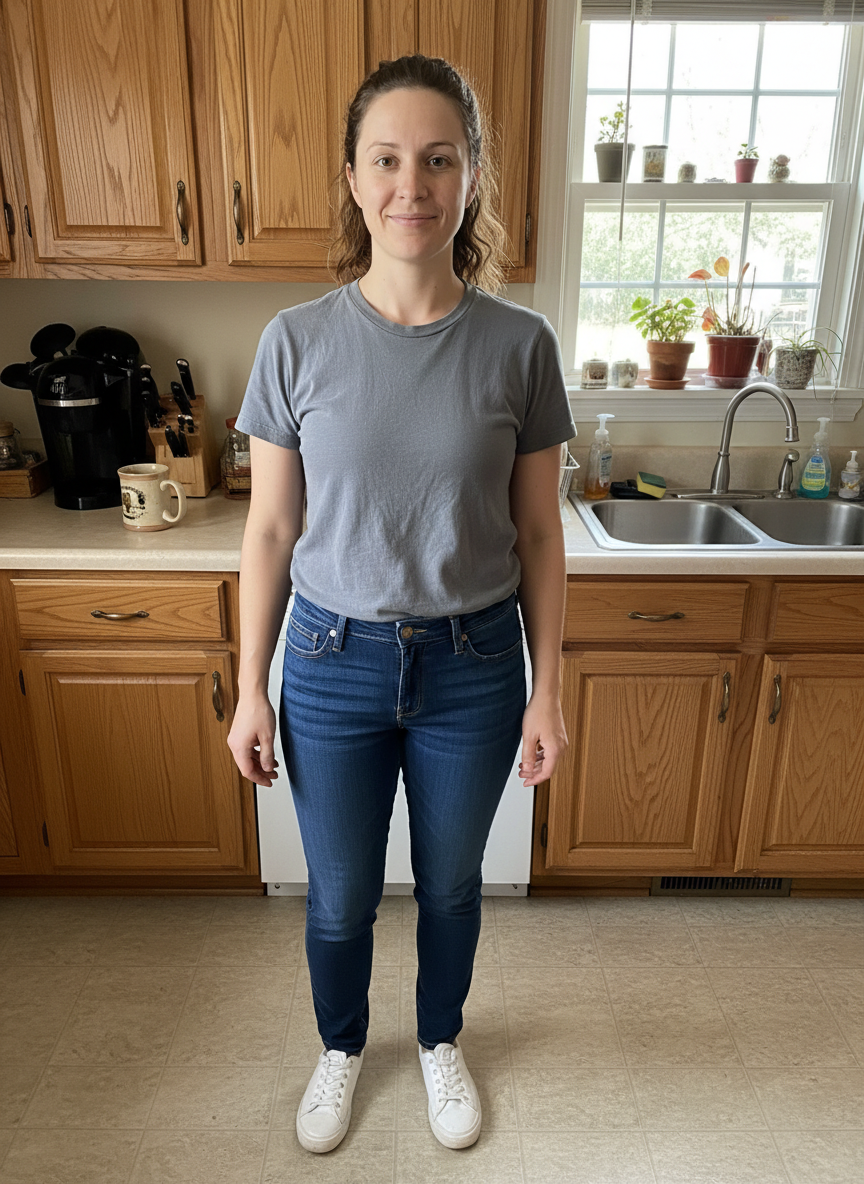
AI Twerk Output
Why Full Body Photos Produce the Best Twerk Videos
Twerking is a movement that engages the entire body, not just the hips. The knees bend and straighten, the spine curves and extends, the shoulders shift for balance, and the feet adjust position to maintain stability. When the AI can see all of these body parts in the input photo, it has the complete picture it needs to generate natural, convincing twerk motion.
A full body photo gives the AI clear reference points from head to toe. It can accurately map the skeletal structure, understand the body's proportions, detect where joints are positioned, and plan motion paths that respect the physical limits of each joint. This comprehensive understanding is what separates a smooth, realistic twerk animation from a jerky, unnatural one.
When the photo is cropped and parts of the body are missing, the AI has to estimate what it cannot see. It guesses the length of the legs, the position of the feet, and the proportions of the lower body. These estimates are sometimes accurate, but they are never as good as having actual visual data to work from.
The difference in output quality between a full body photo and a cropped photo is immediately noticeable. Full body inputs produce videos where the movement flows naturally from the ground up, with proper weight distribution and realistic momentum. Cropped inputs produce videos that look incomplete or unbalanced because the AI is working with limited information.
How Body Detection Works in AI Twerk Generation
Understanding how the AI detects and maps the body helps explain why full body visibility is so critical.
The first step in body detection is pose estimation. The AI identifies key anatomical landmarks in your photo, typically 17 to 25 points depending on the model. These include the top of the head, neck, shoulders, elbows, wrists, hips, knees, ankles, and feet. Each of these points is located with sub-pixel accuracy and connected to form a skeletal map.
This skeletal map serves as the foundation for all motion generation. Every twerk style preset is essentially a sequence of target positions for these skeletal points over time. The AI interpolates between positions to create smooth, continuous movement that looks natural.
When all 17 to 25 body landmarks are visible in the photo, the AI can place them with high confidence. When some landmarks are missing because they are cropped out of the frame, the AI estimates their position based on the visible landmarks and general human anatomy. These estimates add uncertainty to the motion generation, which can result in less natural movement.
The hip and knee landmarks are particularly important for twerk animation. These are the joints that drive the core twerk movement, and their positions need to be precise for the animation to look right. When the hips are visible but the knees and ankles are cropped out, the AI cannot properly calibrate the depth and range of the twerk motion.
Body segmentation is the second critical step. The AI separates the person from the background, creating a precise outline of the figure. Full body visibility makes this segmentation cleaner because the AI has clear edges to follow all the way from head to feet. Partial visibility can lead to segmentation errors at the crop line, where the AI has to guess where the body ends.
Pose Requirements for Optimal Results
Beyond simply showing the full body, the pose in your photo significantly affects the quality of the generated twerk video. Here are the pose characteristics that produce the best results.
A natural standing pose is the ideal starting point. The person should be standing upright with their weight distributed evenly or slightly favoring one leg. This gives the AI a neutral position from which it can transition smoothly into any twerk style. Relaxed shoulders, arms at the sides or on the hips, and feet roughly shoulder-width apart create the perfect foundation.
Front-facing orientation works best. When the person is facing the camera directly, the AI has the clearest view of the body's front surface area. This makes body landmark detection more accurate and produces the most detailed animation. A slight angle, up to about 30 degrees from center, also works well and can add visual interest to the starting pose.
Avoid extreme poses. Photos where the person is in the middle of a jump, a deep squat, a split, or any other extreme position can confuse the motion generation. The AI expects to start from a relatively neutral position and may produce awkward transitions if the starting pose is already at an extreme.
Keep limbs visible and separated. Arms crossed over the body, hands in pockets, or legs pressed tightly together can make it harder for the AI to detect individual limbs. When arms and legs have some space between them and the torso, the AI maps the body structure more accurately.
Head position matters too. Looking directly at the camera or slightly to one side is ideal. Extreme head tilts, looking straight down, or turning completely away from the camera can affect how the AI handles facial consistency during the animation.
Standing in heels is fine and can actually enhance twerk animations. The elevated heel position naturally adjusts the body's posture in a way that complements twerk movement. The AI handles heels well as long as the full shoe is visible in the photo.
The Ideal Photo Setup for AI Twerk Videos
If you are taking a photo specifically for twerk video generation, here is the ideal setup that will give you the best possible results.
Distance from the camera should leave about 10 to 15 percent of the frame above the head and below the feet. This gives the AI room to work with and ensures no part of the body is cut off. Standing about 6 to 8 feet from the camera for a smartphone photo typically achieves this framing.
Use a neutral background. A plain wall in a solid color, a simple outdoor setting, or any uncluttered surface behind you. The cleaner the background, the easier it is for the AI to separate you from the environment and produce clean animation.
Lighting should be even and front-facing. Natural daylight from a window works great. If using artificial light, position it in front of or slightly above the subject, not behind them. Avoid overhead-only lighting that creates dark shadows under the chin and eyes.
Wear clothing that has some contrast with the background. If you are standing in front of a white wall, avoid wearing all white. The AI needs to be able to distinguish your body outline from the background, and high contrast between clothing and background makes this easier.
Choose clothing that shows the body's outline. Form-fitting clothes give the AI the clearest signal about body shape, which leads to the most accurate animation. Loose, flowing garments can work but may produce less precise movement because the AI has to estimate where the body is underneath the fabric.
Use the rear camera on your phone rather than the front camera for higher quality images. The rear camera typically has better resolution, autofocus, and image processing. If you need to use the front camera for a selfie, use a timer and step back far enough to get a full body shot.
Hold the camera at roughly chest height. This produces the most natural perspective with minimal lens distortion. Shooting from too low causes the upper body to look smaller, and shooting from too high causes the legs to look shorter. A level, straight-on angle is ideal.
What If You Only Have Partial Body Photos?
If you do not have a full body photo and cannot take one, here is what to expect from partial body images.
Photos showing from head to mid-thigh will still produce acceptable results for most twerk styles. The AI has enough body information to generate convincing hip and torso movement, though the lower legs and feet will be estimated. The Basic Twerk and Slow and Sensual presets work best with this level of cropping because they involve less dramatic lower body movement.
Photos showing from head to waist produce limited twerk animation. The AI can add some hip and torso movement, but without seeing the hips clearly or having any leg reference, the twerk will look subdued and may not be convincing. You may be better served by a different type of AI animation tool for waist-up photos.
Photos showing only the upper body or face are not suitable for twerk generation. The AI needs to see enough of the body to generate meaningful lower body movement. Upper body only photos will either produce very poor results or may not process successfully at all.
For the best experience, we strongly recommend finding or taking a full body photo whenever possible. Even a quick smartphone photo taken in good lighting against a plain wall will produce significantly better results than any cropped or partial body image. The few seconds it takes to snap a full body photo are worth the dramatic improvement in output quality.
If you are working with someone else's photo, such as a friend or public figure, look for images that show the full figure. Social media profiles, red carpet photos, and fashion content are good sources for full body images that work well with our twerk generator.
Generate Your Full Body Twerk Video Now
With the right full body photo in hand, creating a high-quality twerk video takes just minutes. Here is the quick process.
Go to the homepage and upload your full body photo. Make sure the entire figure is visible from head to toe, the lighting is good, and the background is relatively clean. The tool accepts JPG, PNG, and WebP formats up to 10MB.
Browse the twerk style presets. With a full body photo, every preset will work at its best. Try Club Energy for high-energy movement, Circular Roll for fluid hip circles, or Wall Twerk for the inverted twerk style. Use the Custom option if you have a specific movement in mind.
Choose between a 10-second video for one credit or a 15-second video for two credits. Hit generate and wait about two to five minutes while the AI processes your image.
Your finished video will appear in your dashboard, ready to preview and download. Full body photos consistently produce the best twerk videos, so you can expect smooth, natural-looking movement that showcases the full range of whichever twerk style you selected.
Ready to Create Your Twerk Video?
Upload a photo and get a realistic AI twerk video in minutes.
Try It Now