AI Photo to Twerk Video
Turn any still photo into a realistic twerk video using AI. Upload your image, pick a style, and watch it come to life in minutes.
Generate Your Twerk Video NowSee It In Action
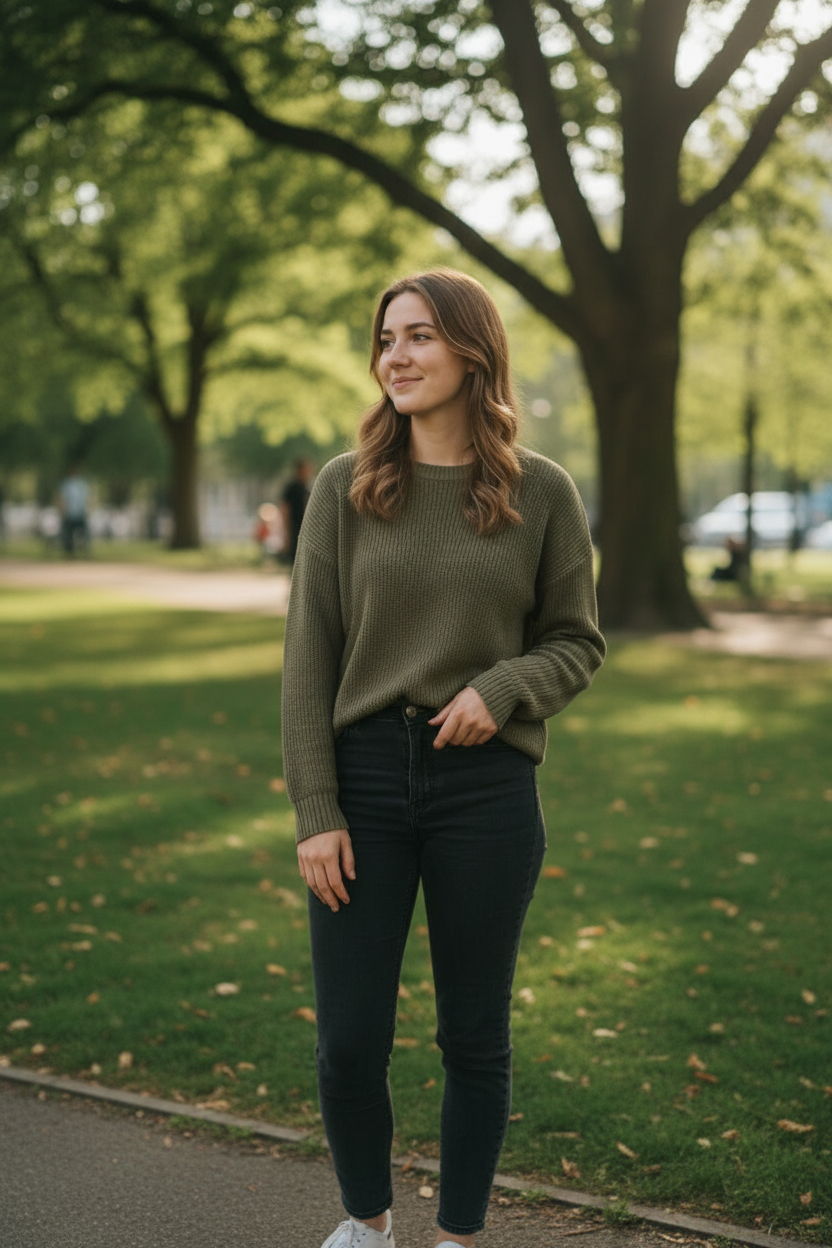
Input Photo
AI Twerk Output
How a Still Photo Becomes a Twerk Video
The process of converting a single photo into a moving twerk video is one of the most impressive applications of modern AI. What seems like magic is actually a sophisticated pipeline of computer vision, body detection, motion synthesis, and video rendering working together seamlessly.
It starts with analysis. When you upload a photo, the AI examines the image to identify the person in the frame. It detects the body structure by locating key points like the shoulders, hips, knees, ankles, and spine. This skeletal mapping gives the AI an understanding of the person's pose, proportions, and body type.
Next comes motion planning. Based on the twerk style you selected, the AI generates a sequence of body positions that represent the twerk movement over time. These positions are not random. They follow the physics of real human movement, accounting for balance, weight distribution, and the natural limits of joint rotation.
Then the AI renders each frame of the video. For every frame, it takes the original photo and applies the calculated body position for that moment in time. The AI warps and transforms the image to show the person in the new pose while preserving their appearance, clothing, skin tone, and facial features. It also handles the background, filling in areas that become visible as the body moves.
Finally, all the frames are assembled into a smooth video file. The result is a 10 or 15 second MP4 video at 720p resolution that shows the person from your photo performing a twerk routine. The entire process takes two to five minutes from upload to finished video.
The Photo-to-Video Pipeline in Detail
Understanding the technical pipeline helps explain why certain photos produce better results than others, and why the output quality is so high compared to simpler animation tools.
Stage one is image preprocessing. The AI normalizes your photo for optimal processing. It adjusts for resolution, corrects orientation if needed, and prepares the image data for the neural network. This stage ensures consistent results regardless of whether you upload a photo from a high-end camera or a quick smartphone snapshot.
Stage two is subject detection and segmentation. The AI identifies the person in the photo and separates them from the background. This segmentation is crucial because the body needs to move independently of the background. The better the AI can distinguish between subject and background, the cleaner the final animation will be.
Stage three is skeletal estimation. The AI maps the body's skeleton by detecting joint positions throughout the figure. This creates a virtual armature, similar to what animators use in 3D software, that defines how the body can move. The skeleton accounts for the specific proportions of the person in your photo, not a generic body model.
Stage four is motion synthesis. Using the selected twerk style as a guide, the AI generates a complete motion sequence for the skeleton. This is where the choreography happens. The motion data includes position, rotation, and timing information for every joint at every frame of the video.
Stage five is image generation. For each frame, the AI produces a new image showing the person in the calculated pose. It uses the original photo as a reference to maintain visual consistency, preserving the face, clothing textures, skin details, and overall appearance.
Stage six is video assembly and encoding. The individual frames are compiled into an MP4 video file with smooth frame interpolation to eliminate any choppiness. The final video is encoded at 720p in 9:16 vertical format, ready for download and sharing.
Supported Photo Formats and Requirements
Our AI photo-to-twerk-video tool is designed to work with the most common image formats so you can upload photos directly from your phone or computer without any conversion.
Supported formats include JPG (also called JPEG), PNG, and WebP. These three formats cover the vast majority of photos taken on smartphones, digital cameras, and downloaded from the internet. If your photo is in one of these formats, it will work.
The maximum file size is 10MB. Most smartphone photos fall well within this limit. A typical iPhone photo is between 2MB and 5MB, and Android photos are similar. If your photo exceeds 10MB, you can reduce the file size by using your phone's built-in image editor to resize it slightly, or use a free online image compressor.
There is no strict minimum resolution requirement, but higher resolution photos produce noticeably better results. We recommend photos that are at least 720 pixels wide. Photos from any modern smartphone taken in the last five years will easily meet this recommendation.
The aspect ratio of your input photo does not matter. The AI can work with portrait, landscape, and square photos. However, since the output video is always in 9:16 vertical format, portrait-oriented photos tend to work best because the subject fills more of the output frame.
Transparency in PNG files is supported but not required. If your photo has a transparent background, the AI will generate an appropriate background for the video. Solid or natural backgrounds in the original photo typically produce the cleanest results.
Best Photo Tips for Best Results
The single biggest factor in output quality is the input photo. Here are the most impactful tips for getting the best twerk video from your photo.
Full body shots are essential. The AI needs to see the complete figure to generate convincing twerk movement. A photo that shows the person from head to toe gives the AI maximum information to work with. Waist-up shots or close-ups of just the face will not produce good twerk videos because the AI cannot see the hips, legs, and lower body that are central to twerk motion.
Centered subjects work best. Place the person near the center of the frame rather than off to one side. This gives the AI the most room to generate movement without the figure going out of frame during animation.
Natural lighting produces the cleanest results. Photos taken outdoors in daylight or indoors near windows with natural light give the AI clear, well-defined details to work with. Harsh flash photography can create strong shadows and blown-out highlights that make animation harder.
Avoid heavy filters or editing. Photos that have been heavily filtered, posterized, or stylized may confuse the AI because it expects natural skin tones, textures, and lighting. Use unedited or lightly edited photos for the most realistic results.
Simple backgrounds are your friend. A plain wall, an outdoor scene, or any uncluttered background helps the AI separate the subject from the environment cleanly. Busy backgrounds with lots of detail can interfere with the segmentation stage and lead to artifacts in the video.
Standing poses work better than sitting poses. The AI generates twerk movement most effectively when the subject is standing upright with their full body visible. Seated poses can work in some cases, but the movement will be more limited and may not look as natural.
Face the camera directly or at a slight angle. Front-facing photos give the AI the best view of the body for animation. Extreme side profiles or photos taken from behind can still produce results, but they may be less detailed or less natural-looking.
What You Get: Output Format and Quality
Every twerk video generated from your photo is delivered in a consistent, high-quality format that is ready to use immediately.
The output format is MP4, which is universally compatible with all devices, social media platforms, video editors, and media players. You do not need any special software to play, share, or edit your video.
Resolution is 720p in a 9:16 vertical aspect ratio. This is the standard format for short-form video content on platforms like TikTok, Instagram Reels, YouTube Shorts, and Snapchat Spotlight. Your video will display perfectly on these platforms without any cropping, letterboxing, or formatting issues.
You can choose between two duration options. A 10-second video costs one credit and is ideal for quick, punchy content that gets straight to the action. A 15-second video costs two credits and provides more time for the twerk animation to develop, which works well for styles with varied movements like Club Energy or Circular Roll.
All videos are delivered without watermarks or branding. The file is yours to use however you like. Share it on social media, send it to friends, or incorporate it into larger video projects.
Processing time is typically two to five minutes, depending on server load and the complexity of the image. You can wait on the page and watch the progress indicator, or navigate away and check your dashboard later. Completed videos are stored in your account indefinitely, so there is no rush to download them immediately.
Start Converting Your Photos Now
Converting a photo to a twerk video takes just three steps. Upload your photo to the homepage, choose a twerk style from the seven presets or write a custom description, and select your video length.
New users can purchase credits from the pricing page. Credit packs and subscriptions are both available, so you can choose the option that fits your usage. One credit produces a 10-second video, and two credits produce a 15-second video.
After you hit generate, sit back and wait a few minutes. The AI handles everything from body detection to motion synthesis to final rendering. No editing skills, no software downloads, and no complex settings to configure.
Your finished video will appear in your dashboard, ready to preview and download. From photo to twerk video, the entire experience takes less than five minutes.
Ready to Create Your Twerk Video?
Upload a photo and get a realistic AI twerk video in minutes.
Try It Now