AI Twerk Video Maker
Turn any photo into a realistic twerk video with our AI-powered video maker. Choose from multiple styles, generate in minutes, and share anywhere.
Generate Your Twerk Video NowSee It In Action
Input Photo
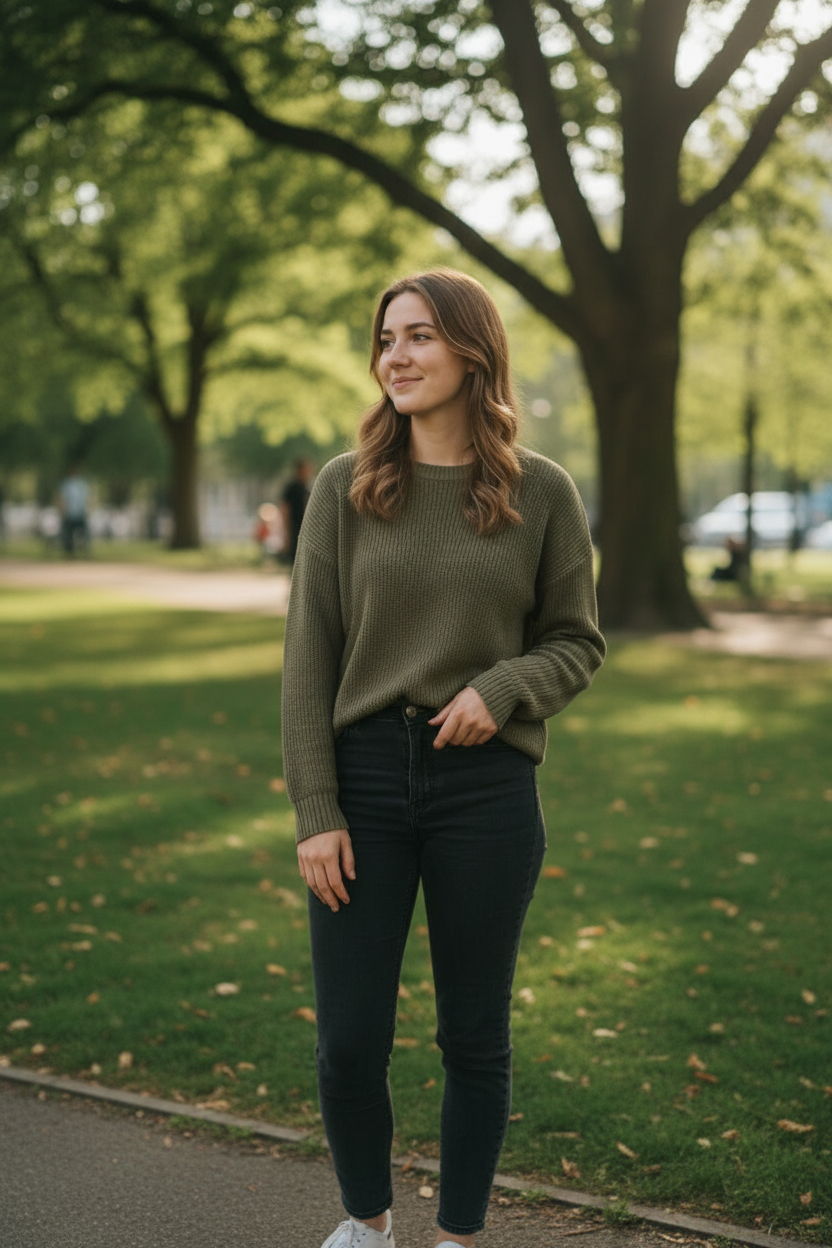
AI Twerk Output
What Is an AI Twerk Video Maker?
An AI twerk video maker is a tool that takes a still photograph and transforms it into a realistic twerk dance video using artificial intelligence. You provide the photo, the AI handles everything else. It analyzes the body position, proportions, and clothing in your image, then applies natural-looking twerk movements to create a complete video.
This is fundamentally different from traditional video editing. There is no timeline to manage, no keyframes to set, no motion tracking to configure. The AI understands human anatomy and movement patterns, so it can generate convincing dance motion from a single static image. The output looks like a real video of someone twerking, not a choppy animation or a warped photo.
The technology behind AI twerk video makers has improved dramatically in recent months. Early versions produced stiff, unnatural movements that were easy to spot as artificial. Modern tools like ours generate smooth, fluid motion that captures the rhythm and energy of real twerk dancing. The difference in quality between first-generation and current-generation AI twerk makers is significant.
How to Make a Twerk Video with AI
Creating a twerk video with our AI maker follows a simple three-step process that takes just a few minutes from start to finish.
Step one is uploading your photo. The tool accepts JPG, PNG, and WebP images up to 10MB. For the best results, use a full-body photo where the subject is clearly visible and well-lit. The AI needs to see the complete figure to animate twerk movements convincingly, so avoid cropped or partial body shots.
Step two is choosing your twerk style. We offer seven distinct presets that cover a range of twerk movements. Basic Twerk gives you a clean, classic twerk motion. Low Squat brings the movement down into a deeper stance. Circular Roll adds a rotational hip pattern. Club Energy cranks up the speed and intensity. Slow and Sensual emphasizes controlled, rhythmic motion. Wall Twerk positions the movement against a vertical surface. And if none of these match your vision, the Custom option lets you describe exactly what you want.
Step three is generation. Select your preferred video length, either 10 seconds for one credit or 15 seconds for two credits, and click generate. The AI processes your image on powerful cloud GPUs and delivers a finished video to your browser in two to five minutes. You can preview, download, and share the result immediately.
Video Output Quality and Formats
Every video created by our AI twerk video maker is rendered at 720p resolution in a 9:16 vertical aspect ratio. This format is specifically optimized for mobile viewing and is the standard format used by TikTok, Instagram Reels, YouTube Shorts, and most other social media platforms that prioritize vertical video content.
The 720p resolution strikes the right balance between visual clarity and file size. Videos look sharp and detailed on mobile screens, which is where the vast majority of short-form video content is consumed. The files are small enough to upload quickly to any platform without compression artifacts degrading the quality further.
All videos are exported as MP4 files, which is the most universally compatible video format available. MP4 files play natively on every major operating system, web browser, and social media platform. You will never run into compatibility issues when trying to share or upload your twerk videos.
Videos are delivered without any watermarks or branding overlays. The file you download is clean and ready to use however you see fit. You can post it directly to social media, import it into a video editor for further work, or save it for personal use.
Getting the Best Results from Your Photos
The quality of your AI twerk video depends heavily on the quality and composition of your input photo. Here are the key factors that influence the final result.
Full-body visibility is the most important factor. The AI needs to see the complete figure from head to at least the knees, and ideally down to the feet. Photos that cut off at the waist will not produce good results because the AI cannot see the lower body where the primary movement occurs.
Lighting plays a major role in output quality. Well-lit photos taken in natural light or bright indoor settings give the AI the clearest signal to work with. Dark, shadowy, or heavily backlit photos force the AI to guess at details it cannot see, which leads to artifacts and less convincing motion.
Background simplicity helps the AI separate the subject from the surroundings. A clean, uncluttered background allows the AI to focus on animating the person without interference from complex visual elements behind them. Solid color backgrounds work particularly well.
Image resolution matters too. Higher resolution photos provide more detail for the AI to work with, which translates to smoother, more realistic output. Most modern smartphone cameras produce photos with more than enough resolution. Just avoid heavily compressed or very small images.
Clothing and pose also influence the result. Fitted clothing that shows the body's outline gives the AI better landmarks to track during animation. Standing poses facing the camera or at a slight angle produce the most natural-looking twerk motion.
Sharing Your AI Twerk Videos
Once your twerk video is generated, sharing it is completely straightforward. The MP4 file you download is ready to upload to any platform without conversion or re-encoding.
For TikTok, simply open the app, tap the upload button, and select your downloaded video file. The 9:16 aspect ratio matches TikTok's native format perfectly, so there will be no letterboxing or cropping.
For Instagram Reels, the process is the same. Open Instagram, navigate to Reels creation, and upload your video. The vertical format and duration are both compatible with Reels requirements.
YouTube Shorts accepts vertical videos up to 60 seconds, so both our 10-second and 15-second options work perfectly. Upload through the YouTube app or website and the video will automatically be categorized as a Short.
For other platforms like Twitter, Facebook, or Snapchat, the MP4 format is universally accepted. Upload directly from your downloads folder and the video will play correctly on every platform.
If you want to edit the video further before sharing, the MP4 file imports cleanly into any video editing software including CapCut, iMovie, Premiere Pro, DaVinci Resolve, and others. You can add music, text overlays, transitions, or combine multiple AI twerk videos into a longer compilation.
Why Choose Our AI Twerk Video Maker
Our AI twerk video maker stands out from the competition in several important ways.
The quality of our AI model is best in class. We use a state-of-the-art video generation model that produces smooth, realistic twerk movements. The motion looks natural and fluid, not robotic or glitchy. This matters because low-quality twerk animations are immediately obvious and do not perform well on social media.
Seven preset styles plus a custom option give you genuine creative control. Most competing tools offer a single generic twerk animation with no variety. Our presets let you choose the exact type of movement you want, from subtle and sensual to high-energy club style.
Processing speed is fast. Most videos complete in two to five minutes, which means you can iterate quickly and try different styles or photos without long waits between generations.
The pricing model is transparent and fair. One credit for a 10-second video, two credits for 15 seconds. No subscriptions with hidden limits, no confusing tier systems, no surprise charges. You know exactly what each generation costs before you commit.
Your privacy is protected throughout the process. Uploaded photos are processed securely and are not used to train models or shared with third parties. You maintain full ownership of every video you create.
The entire experience runs in your browser with no software to install, no accounts to create on third-party platforms, and no compatibility issues to worry about. It just works, on any device, in any modern browser.
Ready to Create Your Twerk Video?
Upload a photo and get a realistic AI twerk video in minutes.
Try It Now